
 Post by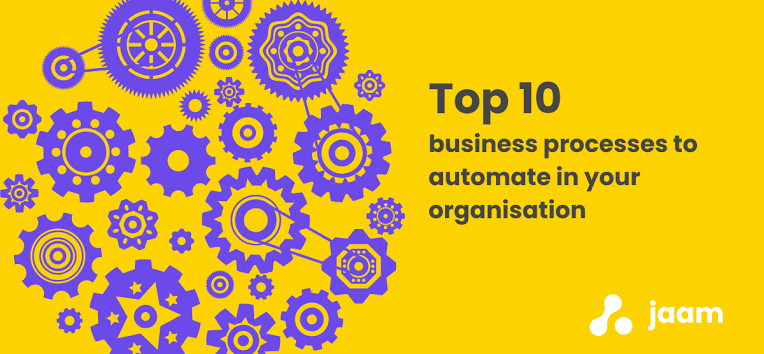
By Afla KC , Digital marketing executive
Introduction
Running a successful business involves managing countless daily tasks, from responding to customer enquiries and processing invoices to tracking inventory and coordinating employees. While these activities are essential, many of them are repetitive, time-consuming, and prone to human error when handled manually.
As businesses grow, manual processes often become bottlenecks that slow productivity, increase operational costs, and make it difficult to scale efficiently. Employees spend valuable hours completing administrative work instead of focusing on innovation, customer relationships, and business growth.
This is where business automation makes a significant difference.
Business automation uses technology to perform routine tasks with minimal human intervention, helping organizations streamline workflows, improve accuracy, and reduce costs. Whether you’re a startup, a growing company, or a large enterprise, automating the right processes can transform the way your business operates.
But where should you begin?
In this guide, we’ll explore ten business processes that every organization should consider automating. These areas offer some of the highest returns on investment by improving efficiency, enhancing customer experiences, and allowing your team to focus on work that truly drives business success.
Why Business Automation Matters
Automation is more than simply replacing manual work with software. It is about creating smarter, more efficient systems that allow businesses to operate faster and more consistently.
Organizations that embrace automation often experience:
- Higher employee productivity
- Reduced operational costs
- Fewer manual errors
- Faster customer service
- Better decision-making through real-time data
- Improved scalability
- Increased customer satisfaction
The key is identifying repetitive processes that consume time but require little human judgment.
1. Customer Support
Customer support is one of the most valuable areas to automate.
Many customer inquiries involve repetitive questions such as:
- Order status
- Business hours
- Pricing
- Appointment availability
- Product information
- Frequently asked questions
AI-powered chatbots, automated ticketing systems, and self-service knowledge bases provide instant responses while reducing the workload on customer support teams.
Benefits
- Faster response times
- 24/7 customer assistance
- Reduced support costs
- Improved customer satisfaction
2. Lead Management
Generating leads is only the first step. Managing them efficiently is equally important.
Automating lead management helps businesses:
- Capture website inquiries
- Assign leads automatically
- Score leads based on interest
- Send follow-up emails
- Notify sales representatives
- Track customer interactions
This ensures that no potential customer is overlooked.
Benefits
- Faster lead response
- Better sales organization
- Higher conversion rates
3. Email Marketing
Sending individual emails manually is inefficient, especially as your customer base grows.
Marketing automation platforms allow businesses to:
- Welcome new subscribers
- Send promotional campaigns
- Deliver abandoned cart reminders
- Share newsletters
- Personalize customer communication
- Schedule campaigns in advance
Automation keeps customers engaged while saving valuable time.
Benefits
- Increased engagement
- Consistent communication
- Better campaign performance
4. Invoice and Payment Processing
Financial administration often involves repetitive paperwork and manual calculations.
Automating invoicing enables businesses to:
- Generate invoices automatically
- Send payment reminders
- Record transactions
- Process recurring billing
- Track outstanding payments
Automation improves financial accuracy while accelerating cash flow.
Benefits
- Faster payments
- Reduced accounting errors
- Improved financial management
5. Employee Onboarding
Hiring new employees requires numerous administrative tasks.
Automation simplifies onboarding by:
- Sending offer letters
- Collecting required documents
- Creating employee accounts
- Assigning training materials
- Scheduling orientation sessions
- Tracking onboarding progress
A structured onboarding experience helps new employees become productive more quickly.
Benefits
- Better employee experience
- Reduced HR workload
- Faster onboarding
6. Inventory Management
Inventory errors can result in stock shortages, overstocking, and lost sales.
Automated inventory systems monitor:
- Stock levels
- Product movement
- Purchase orders
- Supplier updates
- Warehouse inventory
- Demand forecasting
Real-time visibility enables businesses to make smarter inventory decisions.
Benefits
- Reduced inventory costs
- Improved stock accuracy
- Better customer service
7. Appointment Scheduling
Businesses that rely on appointments often spend significant time coordinating schedules.
Automated scheduling tools allow customers to:
- View available time slots
- Book appointments online
- Receive confirmations
- Get automatic reminders
- Reschedule when necessary
This reduces administrative work while improving customer convenience.
Benefits
- Fewer missed appointments
- Better time management
- Improved customer experience
8. Human Resources Processes
Many HR responsibilities involve repetitive administrative work.
Automation can streamline:
- Attendance tracking
- Leave requests
- Payroll processing
- Performance reviews
- Employee records
- Benefits administration
Digital HR systems
improve efficiency while maintaining accurate employee information.
Benefits
- Reduced administrative workload
- Improved compliance
- Better employee management
9. Workflow Approvals
Many organizations rely on approval processes for purchases, budgets, contracts, and project requests.
Manual approvals often cause delays.
Workflow automation a
utomatically routes documents to the appropriate decision-makers, sends reminders, and tracks approval status.
This speeds up business operations while improving transparency.
Benefits
- Faster approvals
- Reduced delays
- Improved accountability
10. Reporting
and Business Analytics
Creating reports manually can consume hours each week.
Automation enable
s businesses to generate real-time dashboards for:
- Sales performance
- Financial data
- Marketing campaigns
- Customer behavior
- Operational efficiency
- Inventory levels
Managers receive accurat
e insights instantly, allowing them to make informed decisions more quickly.
Benefits
- Faster decision-making
- Better business visibility
- Improved strategic planning
How to Decide What to Automate First
Not every process needs automation immediately.
Start by identifying tasks
that are:
- Repetitive
- Time-consuming
- Rule-based
- Prone to human error
- Performed frequently
- Critical to customer experience
Prioritizing high-impact workflows delivers faster results and maximizes return on investment.
Choosing the R
ight Automation Solution
When selecting an automation platform, consider:
Ease of Use
Employees should be able to adopt the
software without extensive training.
Integration
Choose solutions that connect seamlessly with your existing systems, such as CRM, accounting, ERP, or marketing platforms.
Scalability
Your automation tools should support future business growth without requiring major changes.
Security
Protecting sensitive customer and business information should always be a priority.
Support and Updates
Reliable vendor support ensures your automation systems remain secure and up to date.
Common Challenges
Although automation delivers significant benefits, businesses may face several implementation challenges.
These include:
- Resistance to organizational change
- Initial setup costs
- Integration with legacy software
- Employee training requirements
- Data migration complexities
A phased implementation strategy and proper change management can help overcome these obstacles.
The Future of Business Automation
Automation is rapidly evolving with technologies such as Artificial Intelligence (AI), Machine Learning, and Robotic Process Automation (RPA).
Future automation systems will become increasingly intelligent by:
- Predicting customer needs
- Optimizing workflows automatically
- Supporting real-time business decisions
- Delivering hyper-personalized customer experiences
- Managing complex operational processes with minimal human intervention
Businesses that invest in automation today will be better positioned to compete in an increasingly digital economy.
Conclusion
Business automation is no longer a luxury reserved for large enterprises—it has become an essential strategy for organizations of every size. By automating repetitive processes such as customer support, lead management, invoicing, inventory tracking, employee onboarding, and reporting, businesses can significantly improve productivity while reducing operational costs.
Beyond saving time, automation enhances accuracy, strengthens customer experiences, and provides the scalability needed to support long-term growth. Rather than replacing employees, it empowers teams to focus on innovation, strategic planning, and building stronger customer relationships.
The key to successful automation is starting with the processes that deliver the greatest impact. By identifying repetitive tasks, selecting the right technology, and implementing automation strategically, businesses can create more efficient operations and build a stronger foundation for future success. In an increasingly competitive marketplace, organizations that embrace automation today will be better prepared to adapt, grow, and thrive tomorrow.